View & Print
Open, inspect and print CGM, PDF , DWF, PLT, and other technical file formats.

Use ViewCompanion to open binary-encoded and clear-text Computer Graphics Metafile (CGM) files. View, print, annotate, measure, compare, or convert them to PDF, DWF, DXF, CALS, TIFF, JPEG, PNG, and more.
Open, inspect and print CGM, PDF , DWF, PLT, and other technical file formats.
Add markups, dimensions and measurements for review and technical workflows.
Convert individual files or process large groups of documents using batch tools.
Work with CGM, PDF, DWF, DWFx, HPGL/2, and PLT files in one Windows desktop application.
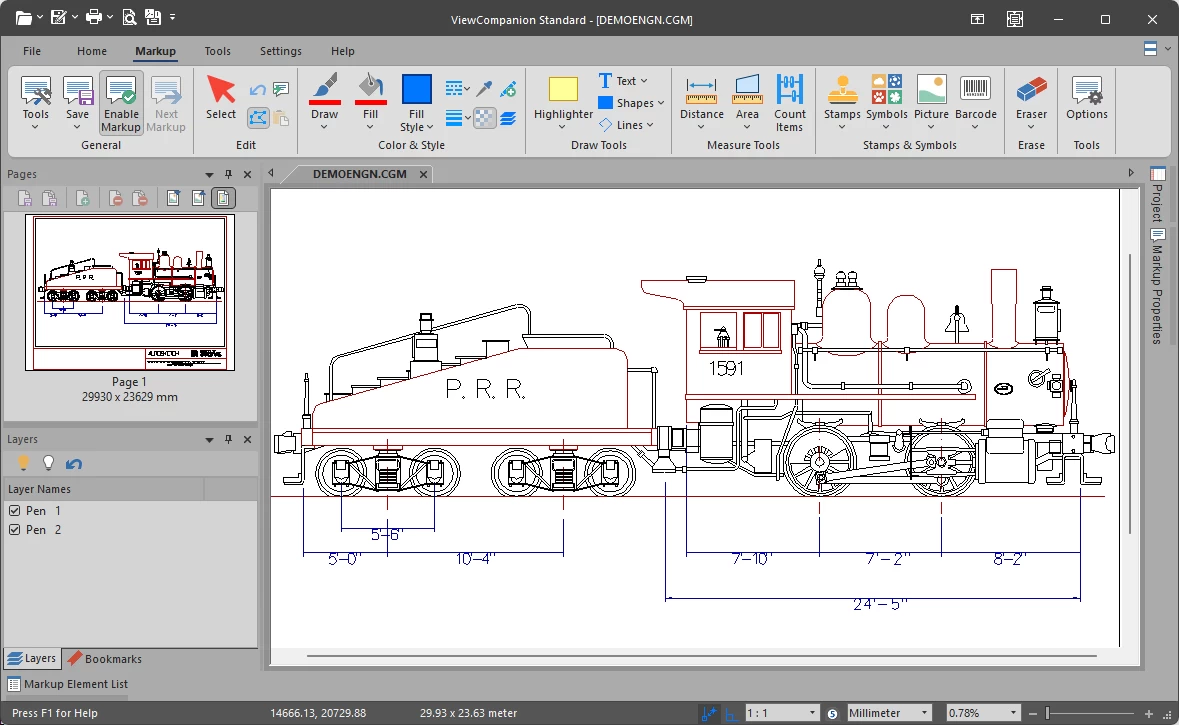
ViewCompanion opens binary-encoded and clear-text CGM files, as well as other technical formats. You can compare drawings, measure geometry, add markups, print, and convert CGM files to PDF, DWF, DXF, CALS, TIFF, JPEG, PNG, and more. Batch processing and command-line support help automate conversion and printing. Available features and input formats vary by edition.
With ViewCompanion you can:
ViewCompanion is available as three different editions: Standard, Pro and Premium.
The Pro and Premium editions support additional file formats and offer more advanced features.
ViewCompanion is available in three editions. Learn more about each one:
ViewCompanion Standard
ViewCompanion Pro
ViewCompanion Premium
For an overview of the differences between ViewCompanion Standard, Pro, and Premium, see our ViewCompanion Edition Comparison Chart.
A fully functional evaluation copy can be downloaded from our web site.
The downloaded product will run in evaluation mode for a period of 30 days.
If you want to continue to use the product after this period, you're required purchase a license.
For software developers
scConverter is a powerful SDK for adding image processing and file conversion capabilities to your own applications or server-based solutions.
It integrates with a wide range of development environments, including C#/.NET, Visual C++, Delphi, and ASP.NET.
Visit the product page to learn more about the available APIs, integration options, and supported input and output formats.